Permanently Delete Files11.04.01
Publisher Description
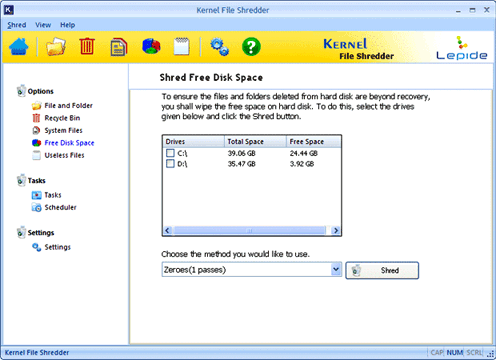
Make use of Kernel File Shredder and delete files or folders from computer’s hard disc permanently. The best aspect about this tool is it comprises of multiple shredding algorithm to make files shredding impeccable. What makes it more special is its remarkable feature of data shredding algorithm. This algorithm has been embedded in this software that allows the user to select and shred files and folders depending on the data sensitivity. Apart from this, the product helps you to automatically shred the temporary system files, content of the Recycle Bin, and free disk space along with allowing you to shred them manually whenever you want. Another great aspect about Kernel File Shredder tool is it facilitates you specify password for secure software access so that no one can use it for destroying purpose. Moreover, you don’t even require spending pointless time in getting familiar with or installing such computer program into your personal computer. It doesn’t matter, whatever is the format of file that you want to shred; this tool allows shredding data files having any format instantly and permanently. Now the tool is also available in demo version and so as a user you can evaluate its capabilities of shredding files and folders. The free trial version of files shredder tool is absolutely free for 30 days. For more information www.deletefilespermanently.org
About Permanently Delete Files
This File & Disk Management program is available in English. It was last updated on 29 September, 2026. Permanently Delete Files is compatible with the following operating systems: Windows.
The company that develops Permanently Delete Files is www.deletefilespermanently.org. The latest version released by its developer is 11.04.01. This version was rated by 3 users of our site and has an average rating of 2.0.
The download we have available for Permanently Delete Files has a file size of 4.2 MB. Just click the green Download button above to start the downloading process. The program is listed on our website since 2012-07-09 and was downloaded 191 times. We have already checked if the download link is safe, however for your own protection we recommend that you scan the downloaded software with your antivirus. Your antivirus may detect the Permanently Delete Files as malware if the download link is broken.
How to install Permanently Delete Files on your Windows device:
- Click on the Download button on our website. This will start the download from the website of the developer.
- Once the Permanently Delete Files is downloaded click on it to start the setup process (assuming you are on a desktop computer).
- When the installation is finished you should be able to see and run the program.
